YUNT admin panel
Managing the brand website, product content and voting from a single workspace.
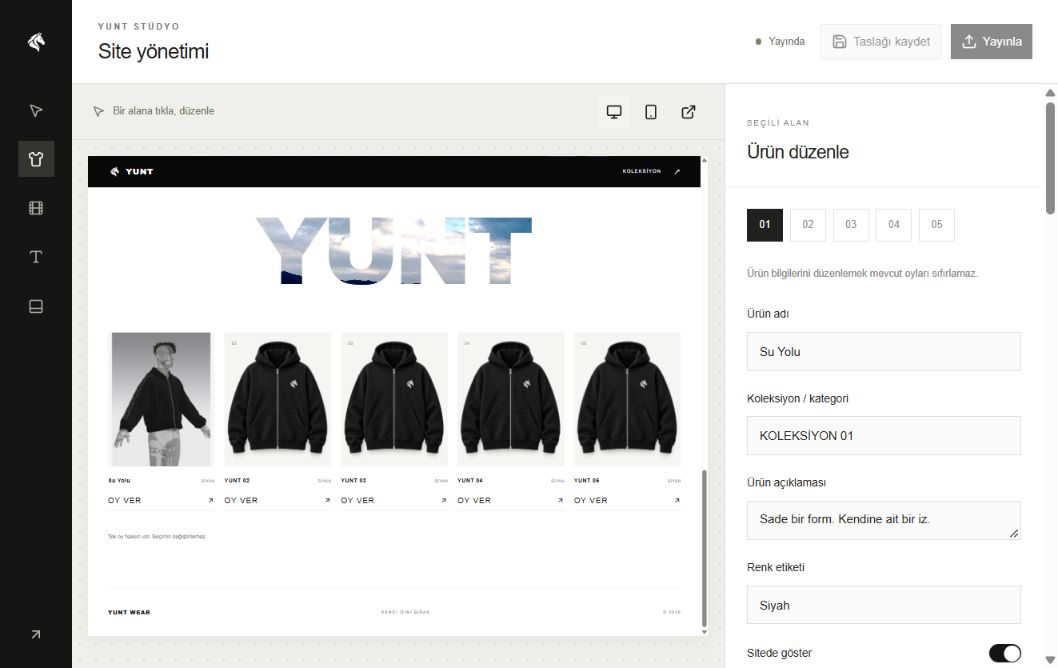
Edit with the website in view.
The product name, description, collection and colour information are edited alongside the website preview. Selecting a field takes you to the relevant content; saving drafts and publishing are available in the same workspace.
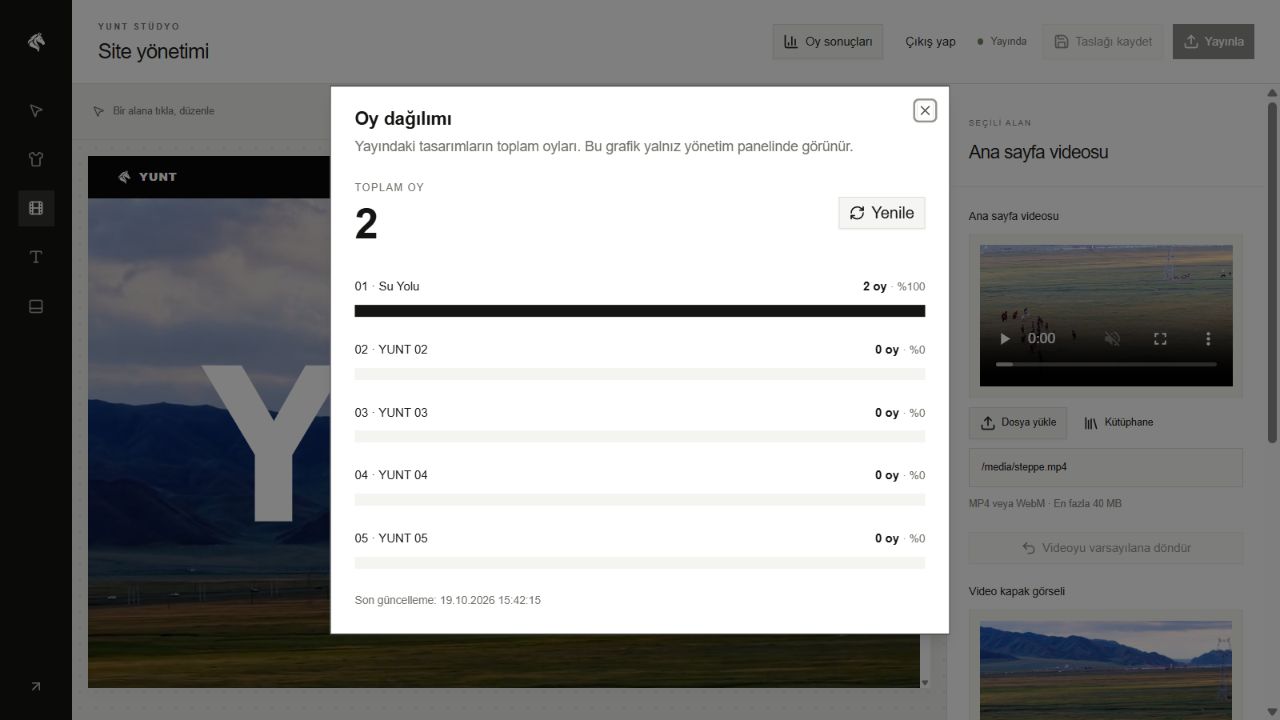
Track the voting results.
Votes cast for the designs are collected in a separate results view. Total votes, distribution by design and percentages are shown together. The numbers in the image reflect the sample state when the screenshot was taken.
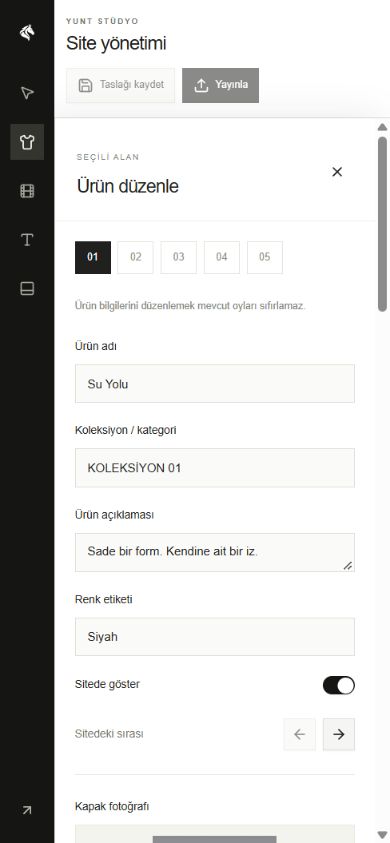
The same workflow on a smaller screen.
The product editor is adapted to a mobile screen. Fields such as name, category, description, colour and visibility are accessible on a narrow screen too.